On device & network
Folders, SMB, and WebDAV
Add on-device folders, browse an SMB share from a NAS or PC, or connect a complete WebDAV endpoint.
Android media player
Bring local folders, SMB shares, WebDAV, Plex, and Emby into one focused library. Stream keeps your personal media organized and ready to play without ads or web tracking.
Connecting your NAS for the first time? Follow the SMB setup guide or check the WebDAV connection guide to get to your first playback.
Built for people who own their media.
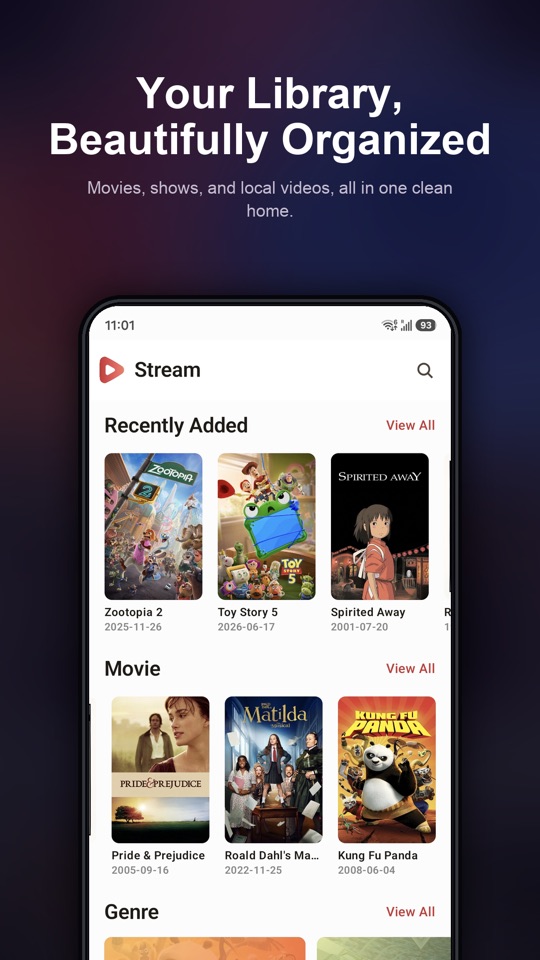
Library
Scan selected folders into a clean movie and TV library. Stream matches titles with TMDB metadata, posters, cast information, genres, seasons, and episodes.
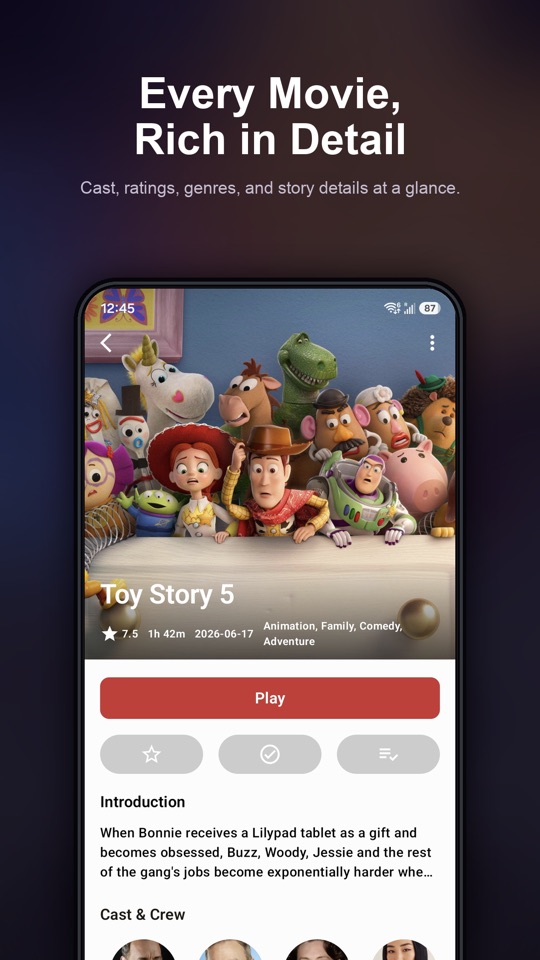
Playback
Watch with subtitle selection, playback speed controls, landscape playback, and Picture-in-Picture. Cast supported media to a compatible Chromecast device when the source can be reached by the receiver.
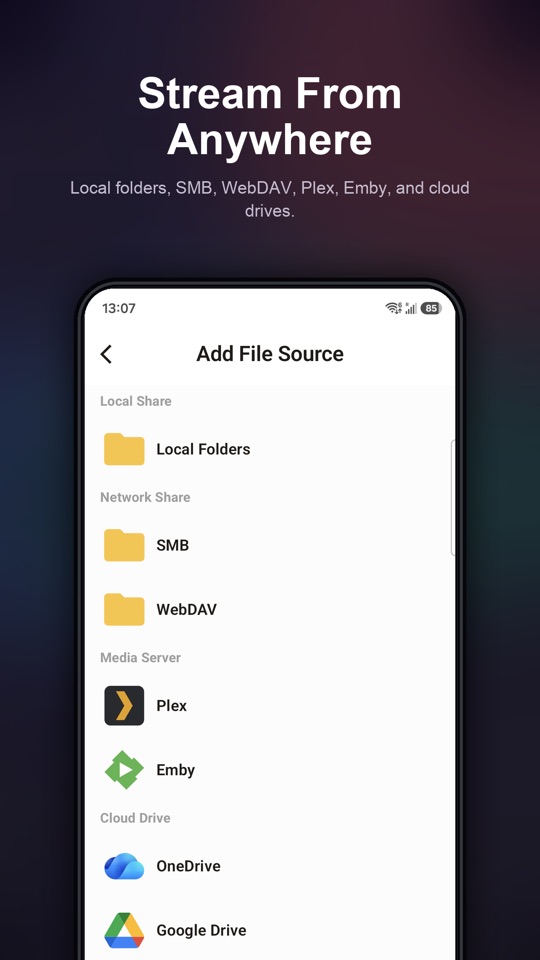
Media sources
Connect storage directly—no separate Stream server required.
On device & network
Add on-device folders, browse an SMB share from a NAS or PC, or connect a complete WebDAV endpoint.
Media servers
Sign in to Plex or connect an Emby user to browse server-provided libraries and metadata in Stream.
Cloud drives
Authorize OneDrive or Aliyun Drive to browse and play media from that account. Google Drive syncs source and library configuration, and that backup leaves out passwords and authorization tokens.
Coming soon
The Android TV app is not yet available on Google Play. It will use a D-pad interface for a remote. For SMB, WebDAV, and Emby, you will finish the connection by scanning a QR code from a phone on the same Wi-Fi, or continue with the remote.
You will browse the library, open details, and control playback with the TV remote. Focus will follow the D-pad, so the main actions will stay on the screen in front of you.
When you add SMB, WebDAV, or Emby, the TV will show a QR code. You will scan it with a phone on the same Wi-Fi and finish the connection there. Credentials will be encrypted over the local network. The QR code will expire after 5 minutes.
OneDrive on the Android TV app will use a device-code sign-in. The TV will show a code you approve from another device. Phones use Microsoft sign-in for OneDrive.
Feature highlights
Find movies and TV series across the folders you selected for your library.
Return to in-progress movies and episodes without searching for the last position.
Group the videos you revisit and keep personal collections easy to reach.
Save supported media from your own sources for offline playback inside Stream.
Back up source and library configuration without syncing passwords or authorization tokens.
No ads, no website behavior tracking, and no harvesting of your personal media library.
Documentation
Follow step-by-step guides for SMB, WebDAV, Plex, and Emby, or review the naming rules that help Stream match movies and TV episodes.
Reference
| Platforms | Android 7.0 or later on phones. An Android TV app is coming soon and is not yet on Google Play. |
|---|---|
| Local storage | User-selected folders on the device |
| Network protocols | SMB and WebDAV |
| Media servers | Plex and Emby |
| Cloud drives | OneDrive and Aliyun Drive |
| Configuration sync | Google Drive backup and restore of source and library configuration. Passwords and authorization tokens are not synced. |
| Recognized video files | MP4, M4V, MOV, MKV, AVI, FLV, and WebM. RM and RMVB are not supported. |
| Playback engine | AndroidX Media3. Codec and HDR support depend on the device. |
| Tracks | Embedded subtitle and audio track selection |
| Playback | Playback speed, Picture-in-Picture, Chromecast, and offline downloads |
| Library | TMDB metadata, Edit Metadata, search, continue watching, and playlists |
Phone
Stream Pro is offered in the phone app. The upcoming Android TV app does not currently include in-app purchases.
Free
MP4 and M4V video up to 1080p plays with no time limit. Other formats, including MKV, MOV, AVI, FLV, and WebM, include a 5-minute preview per playback. Adaptive streams stay within 1080p.
Stream Pro
Stream Pro is required for MP4 and M4V above 1080p, for playback past the 5-minute preview, and for background audio. Codec and HDR support still depend on the device.
In the app
Monthly, yearly, and lifetime options are shown in the phone app.
Inside Stream


Privacy & trust
Stream is built around the folders, servers, and accounts you choose to add. The app has no ads, and this website does not include behavioral analytics.
Read the privacy policyMetadata
This product uses the TMDB API but is not endorsed or certified by TMDB.
Ready to press play?
Download Stream and bring your personal media sources together on Android.
Get Stream on Google Play