Updated
Best NAS Video Player for Android: Comparing SMB, WebDAV, Plex, and Emby Options
The best NAS video player depends on your device, storage protocol, and whether you want folders or a matched movie library. This guide is published by Stream and compares Stream, VidHub, Nova Video Player, and VLC for Android around those choices. Test your own files before paying for any player.
Compare Sources, Libraries, and Devices
| Requirement | Stream | VidHub | Nova Video Player | VLC for Android |
|---|---|---|---|---|
| Devices | Android phones; Android TV coming soon, not yet on Google Play | Apple platforms and Android | Android phones, tablets, and Android TV | Android phones, tablets, and Android TV |
| Network sources | SMB, WebDAV, Plex, Emby, OneDrive, Aliyun Drive (阿里云盘) | SMB, WebDAV, Plex, Emby, Jellyfin, and cloud providers; check platform-specific availability | SMB, FTP, SFTP, UPnP, and WebDAV | SMB, UPnP, FTP, and other network streams |
| Local files | Local folders | Local files | Local storage | Local storage |
| Library presentation | Poster wall with metadata matching, seasons, and episodes | Movie and TV artwork and metadata | Poster scraping and movie/TV organization | Direct file and folder browsing rather than a scraped poster library |
| Free and paid rules | MP4/M4V up to 1080p unlimited free; other supported containers get a 5-minute preview per playback; Pro lifts limits | Freemium/Pro model; check the edition's current limits | Free and open source | Free and open source |
| Best fit | Direct storage and Plex/Emby in one Android phone poster library, with no ads | Users spanning Apple and Android or needing Jellyfin | An open-source Android poster library for network shares | Broad codec support and straightforward file browsing |
Nova's official project and release notes include WebDAV support, so it should not be ruled out solely for that protocol. It is not built around dedicated Plex, Emby, OneDrive, or Aliyun Drive account integrations. Review VidHub's platform page and source overview for its server and cloud options. VLC for Android suits direct browsing rather than a Plex/Emby/OneDrive library integration.
Source availability and paid features vary by version and platform. These are workflow comparisons, not measured rankings of playback quality or speed.
Choose Around the Storage You Already Own
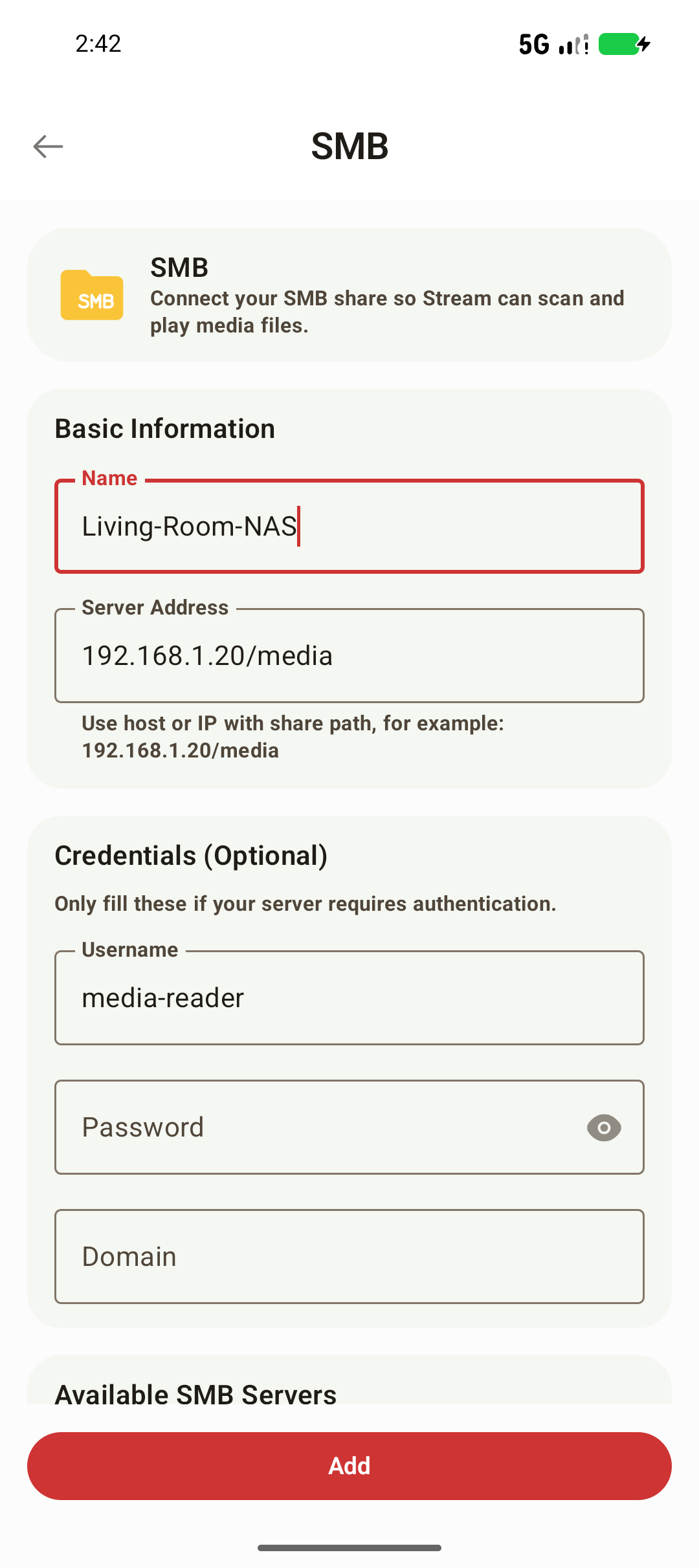
For a Synology, QNAP, or Windows share on your home network, enable the NAS share and follow Stream's SMB guide. Stream builds a poster wall from selected folders without needing a separate Stream server. Nova is another option when you want an open-source poster library; VLC fits when you prefer opening files directly.
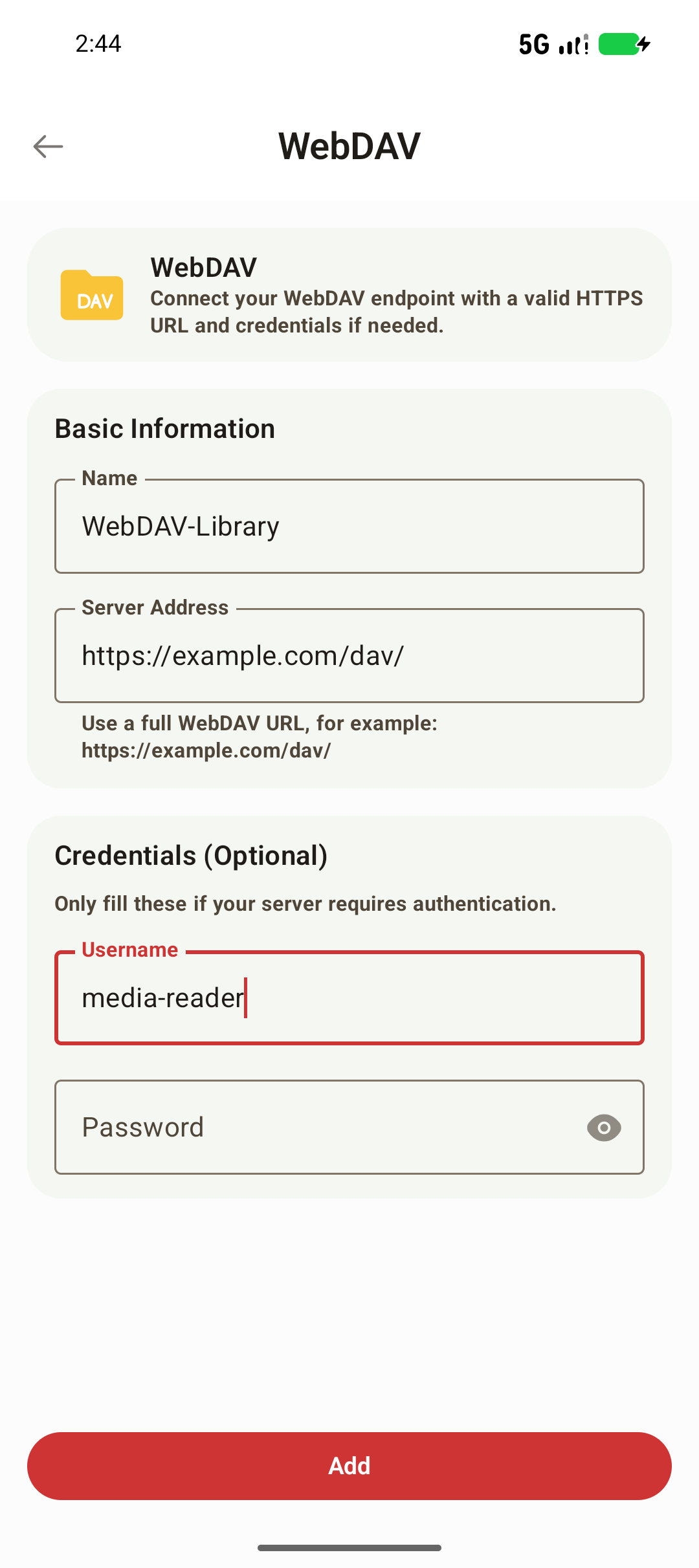
For a WebDAV server, use the full endpoint, including its scheme, port if needed, and path. Follow the WebDAV setup guide and test directory access before scanning. Stream and VidHub offer WebDAV workflows, and Nova also supports the protocol.
If you already maintain a media server, follow the Plex connection guide or Emby connection guide. Stream uses those existing servers; they must stay online and reachable. Stream does not support Jellyfin. VidHub is worth checking if Jellyfin or a combination of Apple and Android devices is a requirement.
For cloud files, Stream has dedicated OneDrive and Aliyun Drive (阿里云盘) connections. Google Drive is used only for configuration sync, excluding passwords, not video playback. Stream also supports local folders. It does not support DLNA or UPnP browsing or casting; choose a compatible player if your setup requires those protocols.
What Stream Offers and What Costs Extra
Stream has no ads. It matches movie and TV metadata, builds a poster library with seasons and episodes, saves playback progress across sessions, and offers subtitle and audio track selection. For folder-based sources, clear file naming helps matching.
On Android phones, MP4 and M4V videos up to 1080p play free without a time limit. MKV, MOV, AVI, FLV, and WebM have a 5-minute preview per playback; Stream Pro is required to continue. Pro also unlocks MP4/M4V above 1080p and background audio. The resolution limit includes the documented allowance for padded 1080p frames. See Free vs Stream Pro.
Pro does not add a software decoder or server transcoding. Compatibility still depends on your phone's decoders and the actual media file. Start with a small folder, check metadata, then test seeking, sound, subtitles, and saved progress. Stream's Android TV app is coming soon and is not yet on Google Play.
For more comparisons, see Infuse alternatives on Android and BubbleUPnP and KMPlayer alternatives.
Frequently Asked Questions
Which Android NAS player should I choose for SMB and posters?
Stream and Nova Video Player both offer poster libraries for SMB folders. Stream also brings dedicated Plex, Emby, OneDrive, and Aliyun Drive connections, while Nova is free and open source. VidHub is another option if you also use Apple devices. Try a small folder on the device you own.
Does Stream support Jellyfin, DLNA, or UPnP?
No. Stream does not support Jellyfin or DLNA/UPnP browsing or casting. Its sources are local folders, SMB, WebDAV, Plex, Emby, OneDrive, and Aliyun Drive. Check VidHub for Jellyfin and Nova or VLC for UPnP requirements.
Can Stream play videos from Google Drive?
No. Stream uses Google Drive only for configuration sync, excluding passwords. For cloud video playback, use its dedicated OneDrive or Aliyun Drive connections.
Can I watch an entire MKV movie free in Stream?
MKV has a 5-minute preview per playback on an Android phone. Continuing requires Stream Pro. MP4 and M4V up to 1080p play free without a time limit, and Stream has no ads. Pro does not add a software decoder or server transcoding.